Oil Painting Color Reference

Mix Any Color
with Confidence.

Over 978 hand-mapped Rublev pigment recipes. Point at any color on your reference — see exactly which pigments to reach for.

A complete color-picking studio

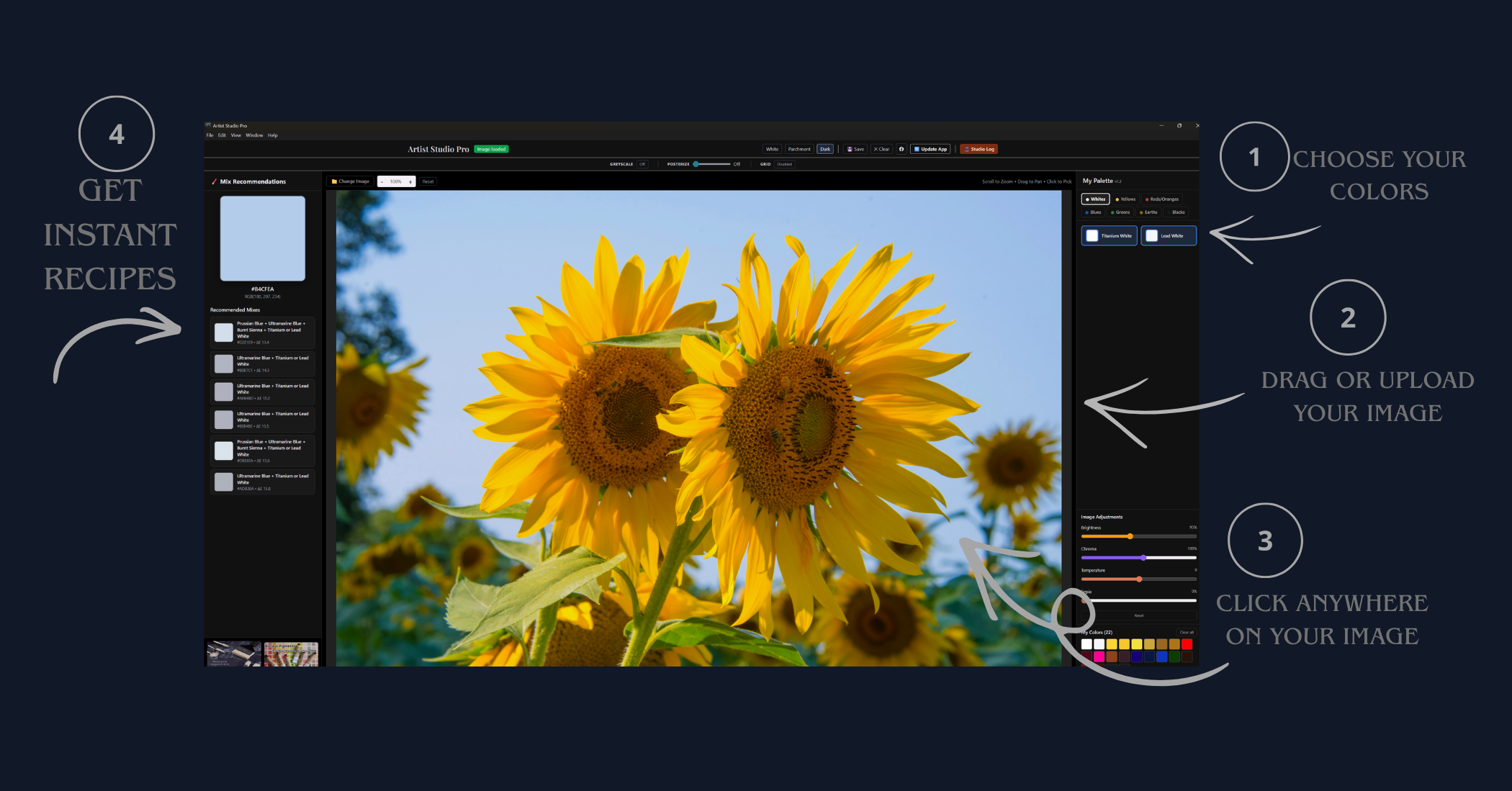
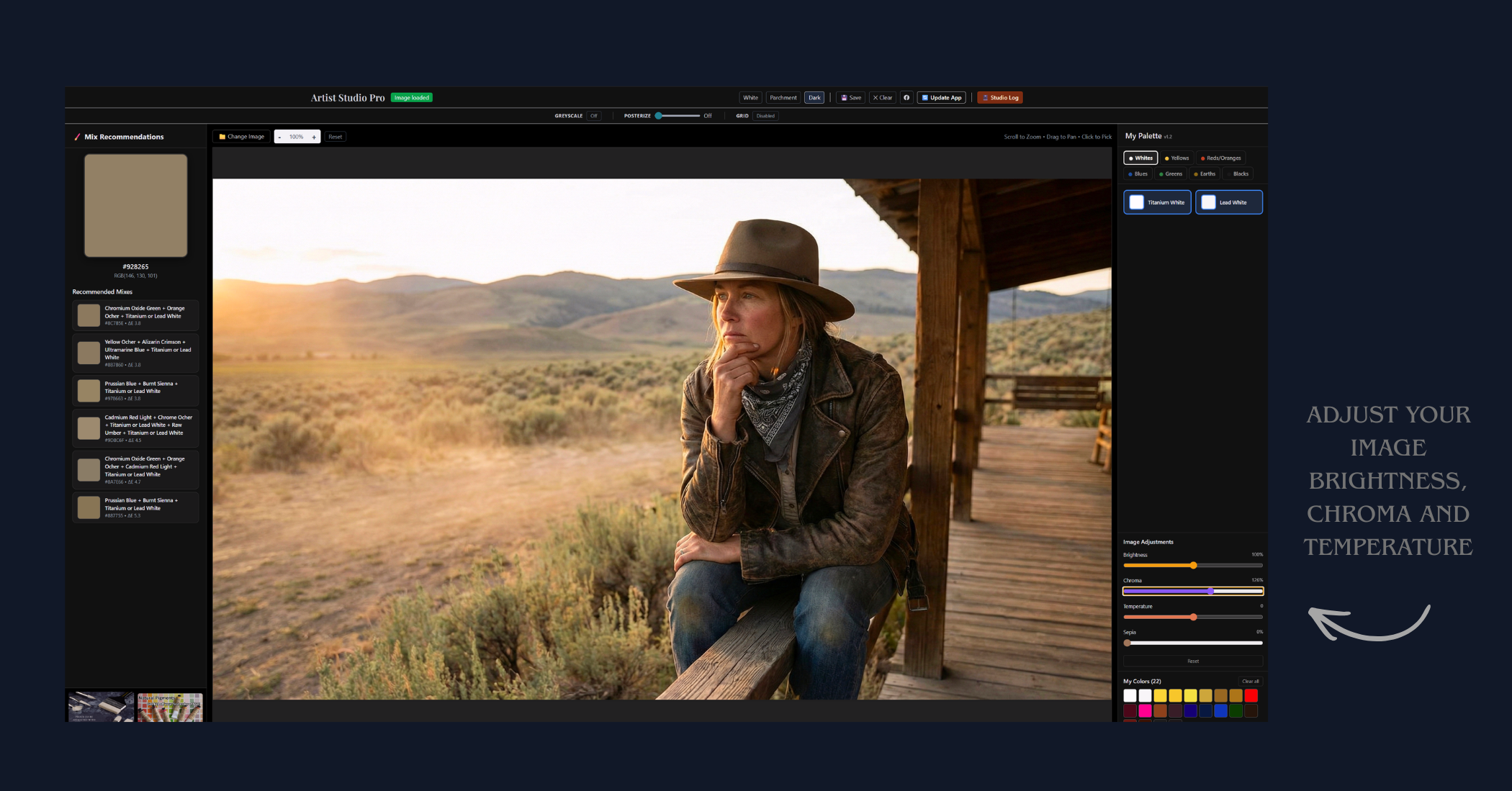
Load any reference photo, click any pixel, and instantly get the closest Rublev pigment recipe. The left panel ranks the top matches by ΔE color accuracy. The right panel tracks every color you've picked in the session.

  • Click any pixel → instant mix recommendation
  • Top 6 closest matches ranked by ΔE accuracy
  • My Colors panel tracks your session palette
  • White / Parchment / Dark canvas modes
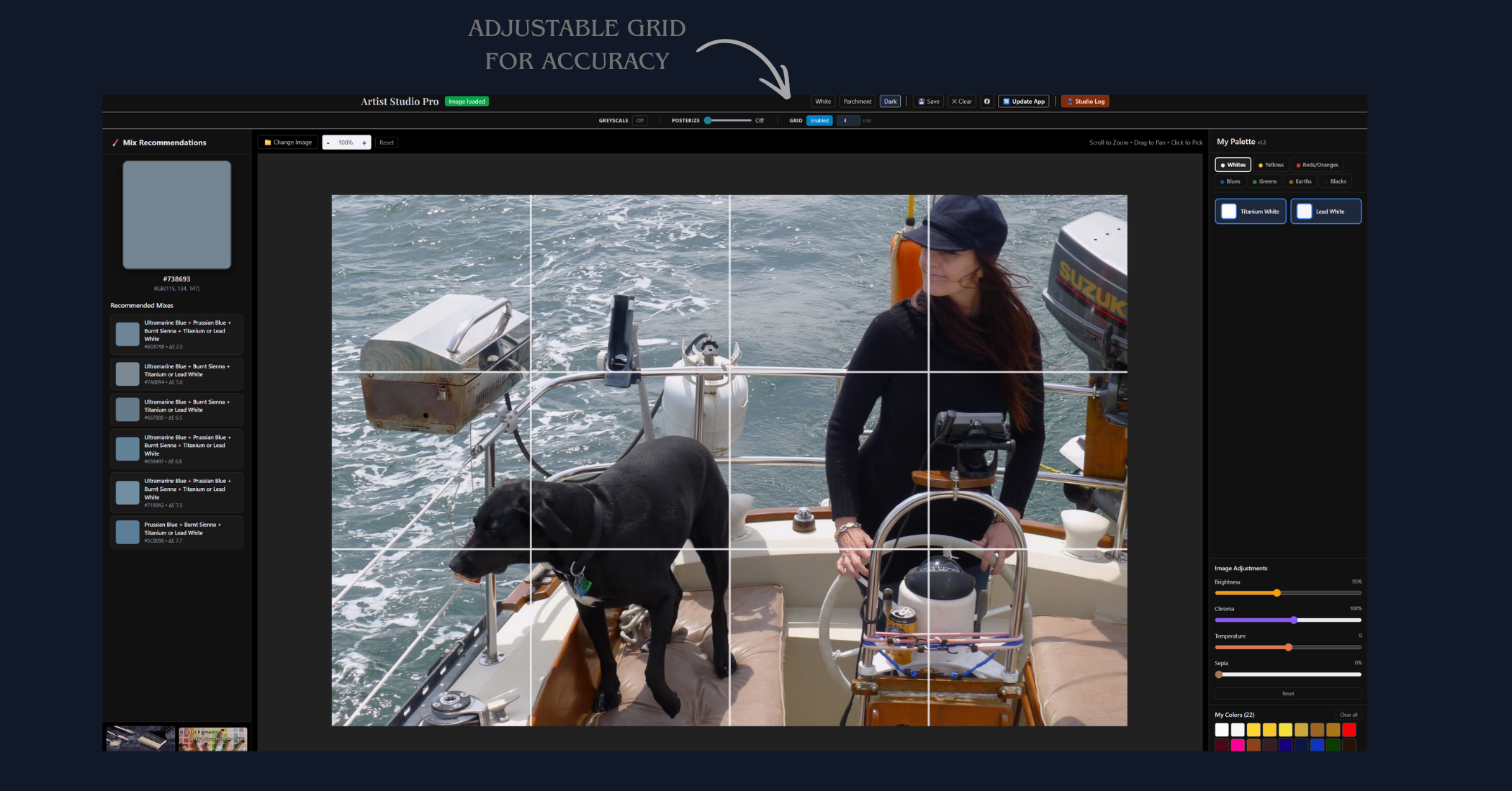
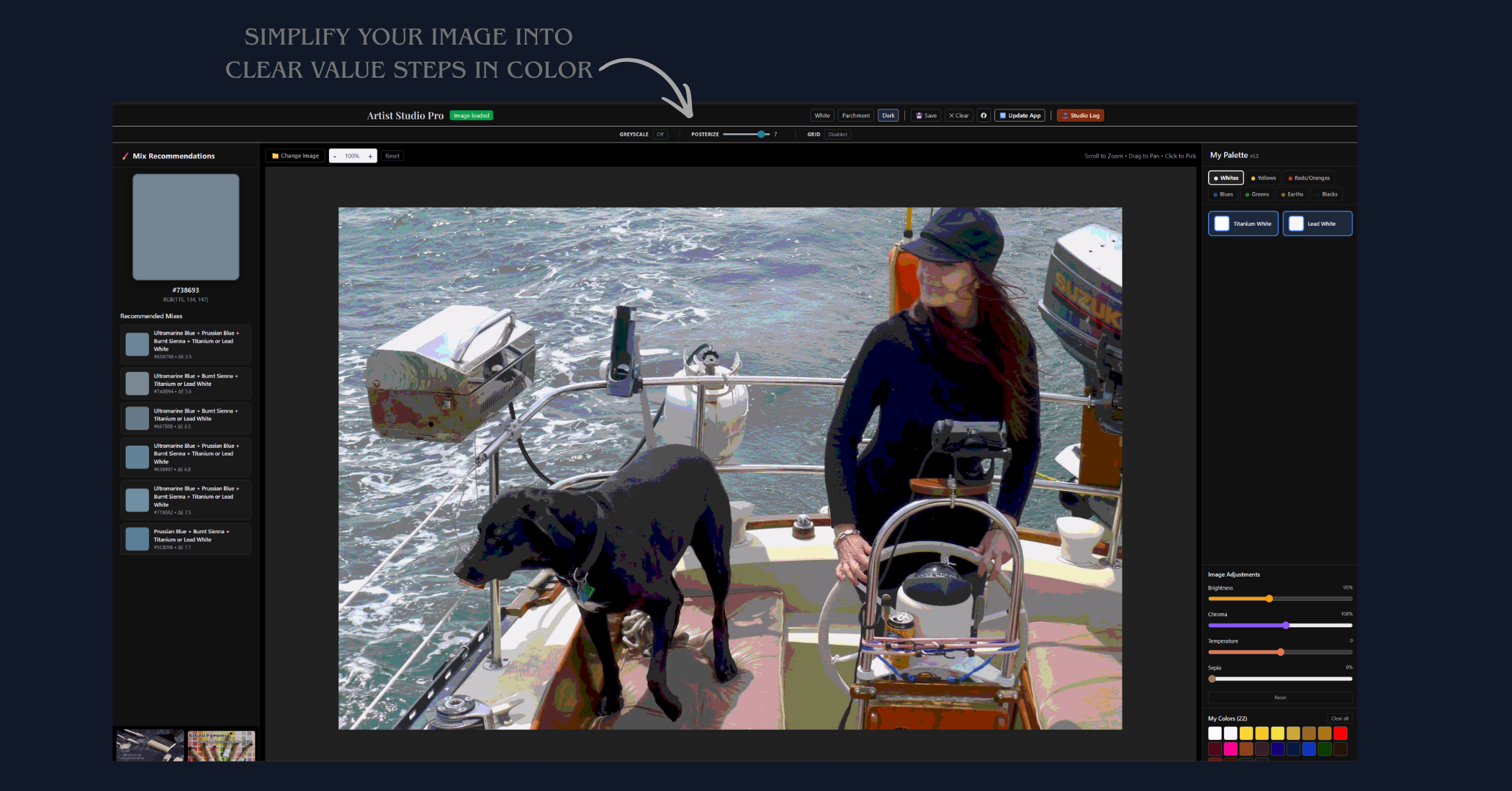
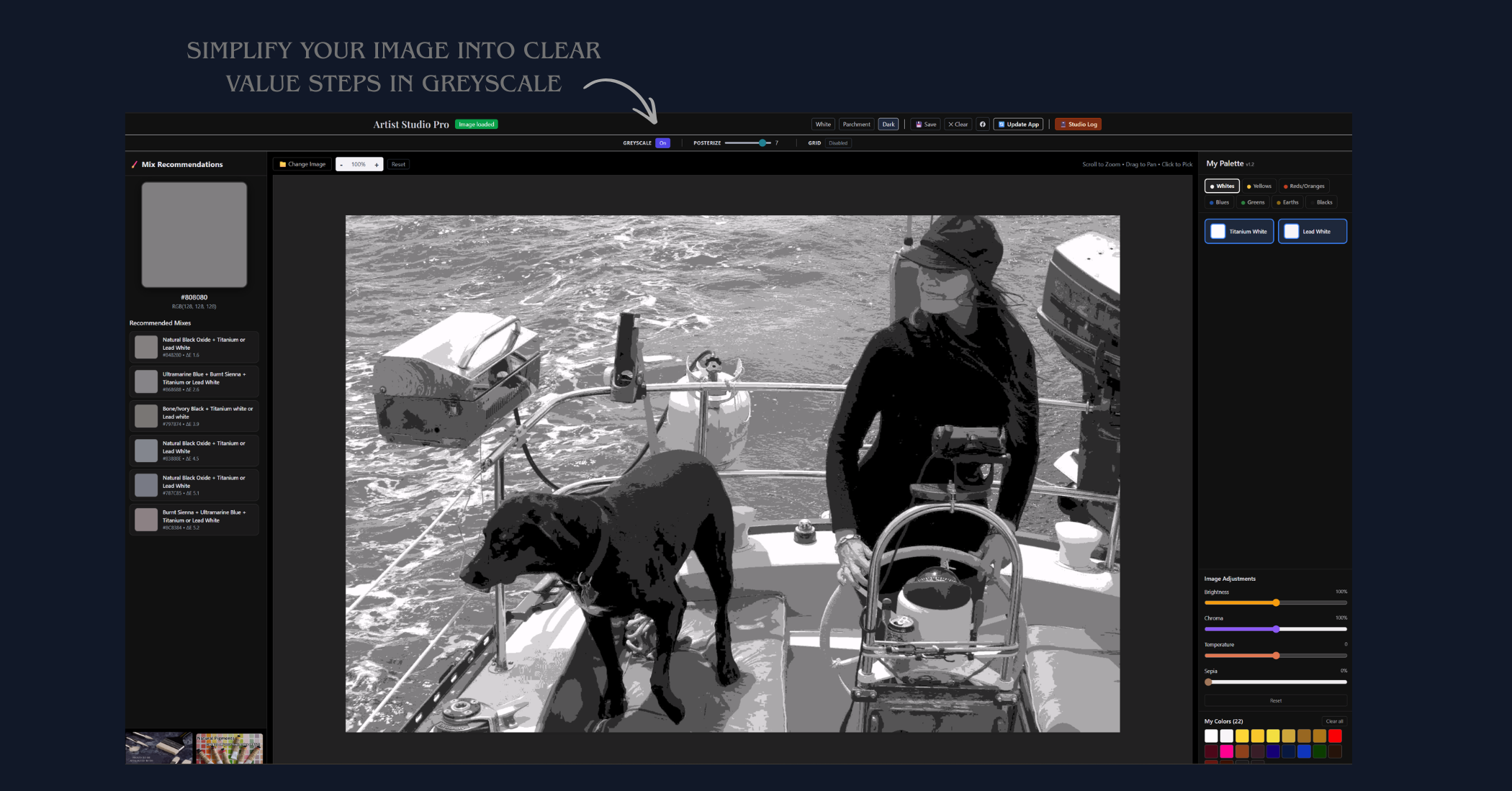
  • Posterize + Grid tools for tone mapping
Get the Full App →
Artist Studio Pro Image loaded
Artist Studio Pro desktop app screenshot

The full app — right here in your browser

Pick a reference photo below, click any pixel, and instantly see the Rublev pigment recipe. No install. No account.

💡 Scroll inside the app to reach the toolbar  ·  First choose your pigments in the My Palette panel on the right, then click any pixel in your photo

Pigment science, simplified

01

See Your Color

Click any swatch or paste a hex code from a reference photo to find the closest available mix.

02

Get the Recipe

Instantly see up to five Rublev pigments — listed in dominant order — needed to mix that color.

03

Mix with Confidence

No more guessing. Every recipe is based on real pigment interaction, not digital blending.

Tested on canvas, refined by hand.

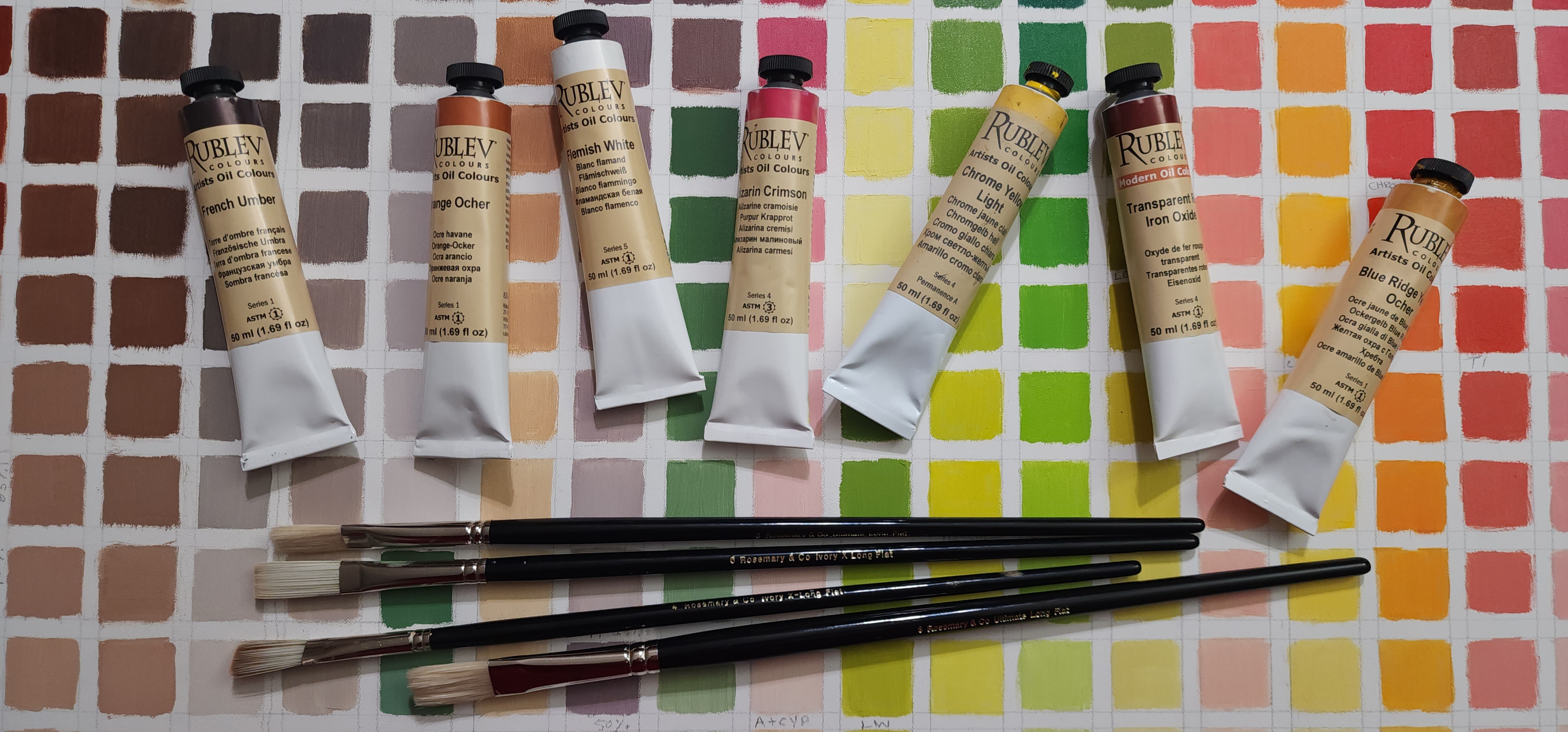
Every recipe in Artist Studio Pro comes from actual paint mixtures — swatched, measured, and compared under controlled lighting. This is the color chart that powers the engine.

Try the Mixer →
Hand-painted Rublev pigment color chart

22 Rublev pigments. Infinite possibilities.

Every recipe in Artist Studio Pro is built from this curated palette of historically-informed oil colors.

Watch the mixer in action

Step-by-step oil painting demos showing how to use Artist Studio Pro at the easel.

Mixing Warm Shadows

Mixing Warm Shadows with Burnt Sienna & Ultramarine

Learn the classic warm/cool temperature trick for convincing shadows using just two pigments.

Skin Tones

Realistic Skin Tones with Transparent Red Oxide

How Transparent Red Oxide and Titanium White replace a whole bag of tubes for portrait work.

Landscape Greens

Mixing Believable Greens from Prussian Blue & Yellow

Why premixed greens look artificial — and how to build a full range from two pigments.

Neutral Grays

Natural Blacks & Neutral Grays Without Tube Black

Using Natural Black Oxide and chromatic darks to keep your shadows alive and vibrant.

📌 Videos are being added regularly. Download the app for the full tutorial library.

Oil painting & color mixing

Practical knowledge for the working painter.

Color Theory

Why Your Mixes Look Muddy (And How to Fix It)

Muddy paint is almost never random — it follows a logical pattern. Understanding pigment dominance and opacity is the fastest way to clean up your palette.

Color Theory 5 min read
Technique

Mixing Greens That Don't Look Like Astroturf

Tube greens are notoriously garish. The painters in the Flemish tradition mixed all their greens from blues and yellows — here's why that still works best today.

Technique 6 min read

Take the full mixer to your easel.

The desktop app includes the complete 978-recipe database, studio session logging, custom palette management, and works fully offline — no subscription.

  • ✓ 978 hand-mapped pigment recipes
  • ✓ Click any color on screen — get the formula
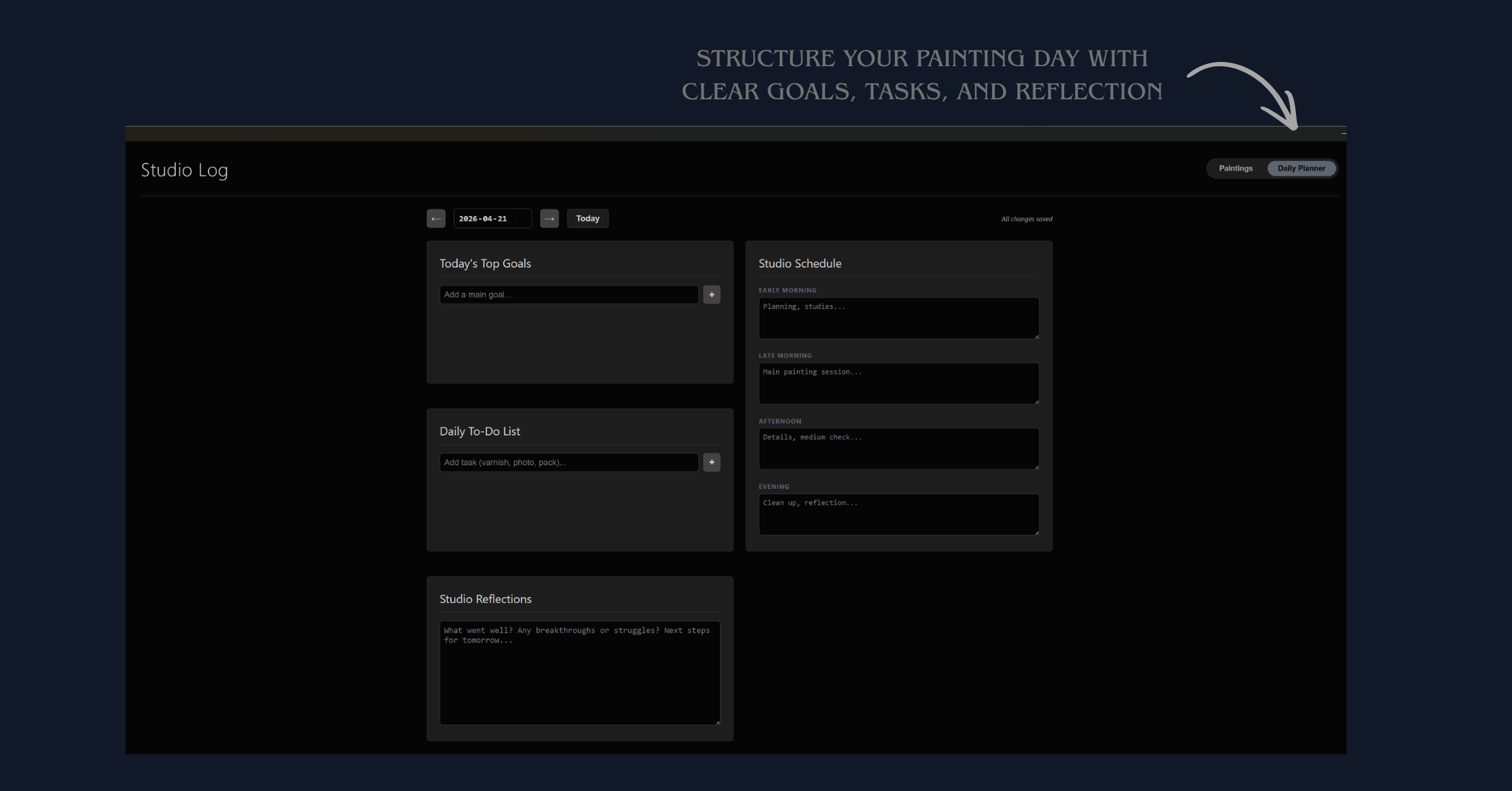
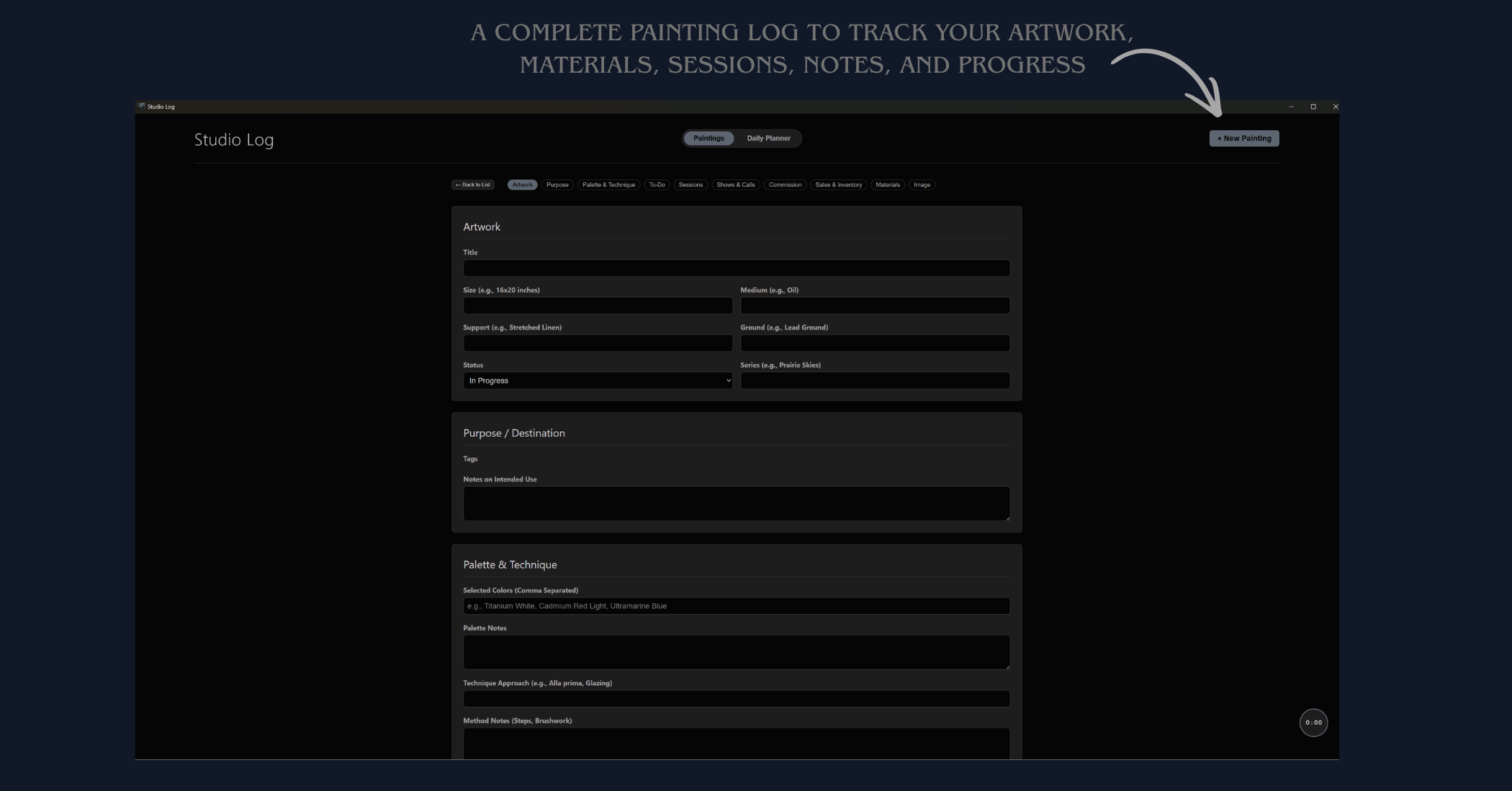
  • ✓ Studio log to track what works
  • ✓ Works offline — no internet needed
  • ✓ Windows desktop app, one-time purchase
Download on Gumroad →