Artist Studio Pro | Oil Painting Color Matching App
Available Now · $48 One-Time Purchase

Artist Studio Pro
Oil Painting Color Matching Program

Click any color in your reference image and get hand-mixed oil paint recipes using the tubes you already own. Built for oil painters.

3-day free trial - no sign-up required

For Oil Painters Real pigment recipes
$48 USD One-time purchase
Digital Product Instant access
Browser-Based No install required
iPhone & Android Mobile apps included
10% Donated Salt River Wild Horses
Available Now Buy and start today

Everything you need at the easel

🎯 Click Any Color

Upload a reference photo and click anywhere on it. It instantly identifies the color you selected.

🎨 Hand-Mixed Recipes

Get up to six oil paint recipes for every color you click. Every recipe was physically mixed and measured with real paint.

🖌 Use Your Own Colors

Select the pigments you actually own in the My Palette panel, and it only shows recipes you can mix right now.

📐 Grid Overlay

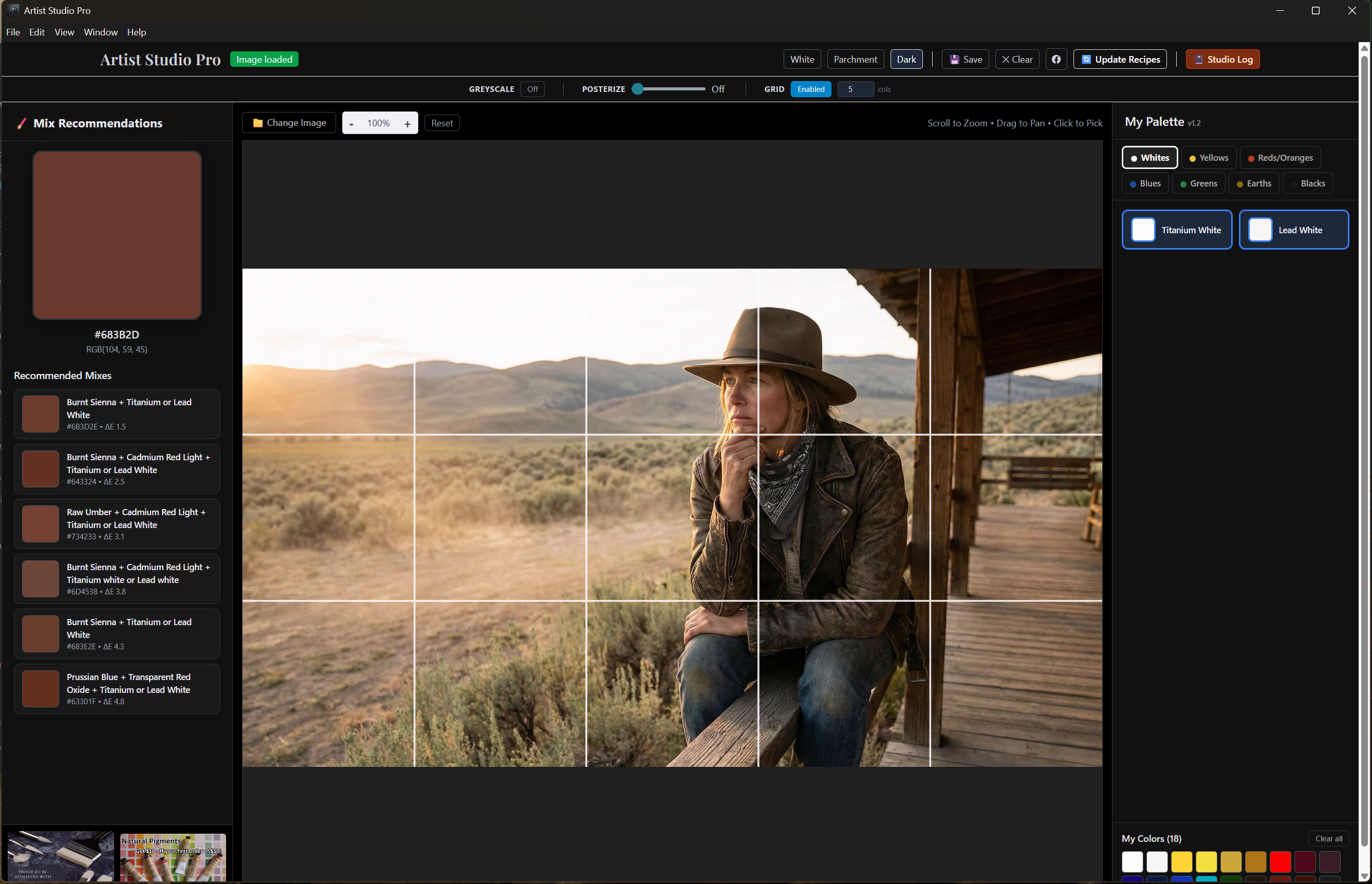
Add a proportional grid over your reference image to help transfer the drawing accurately to your canvas.

🔍 Posterize & Greyscale

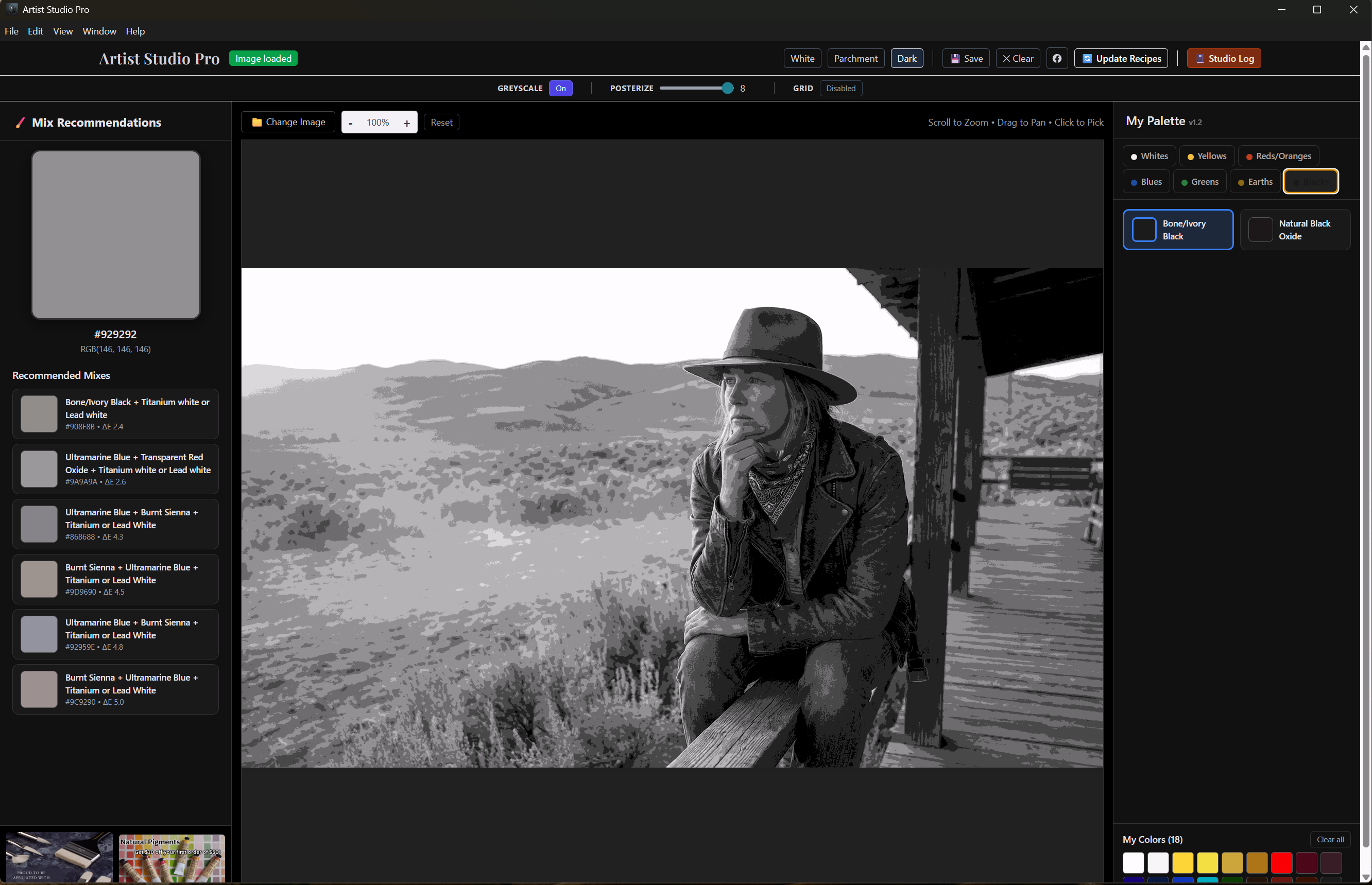
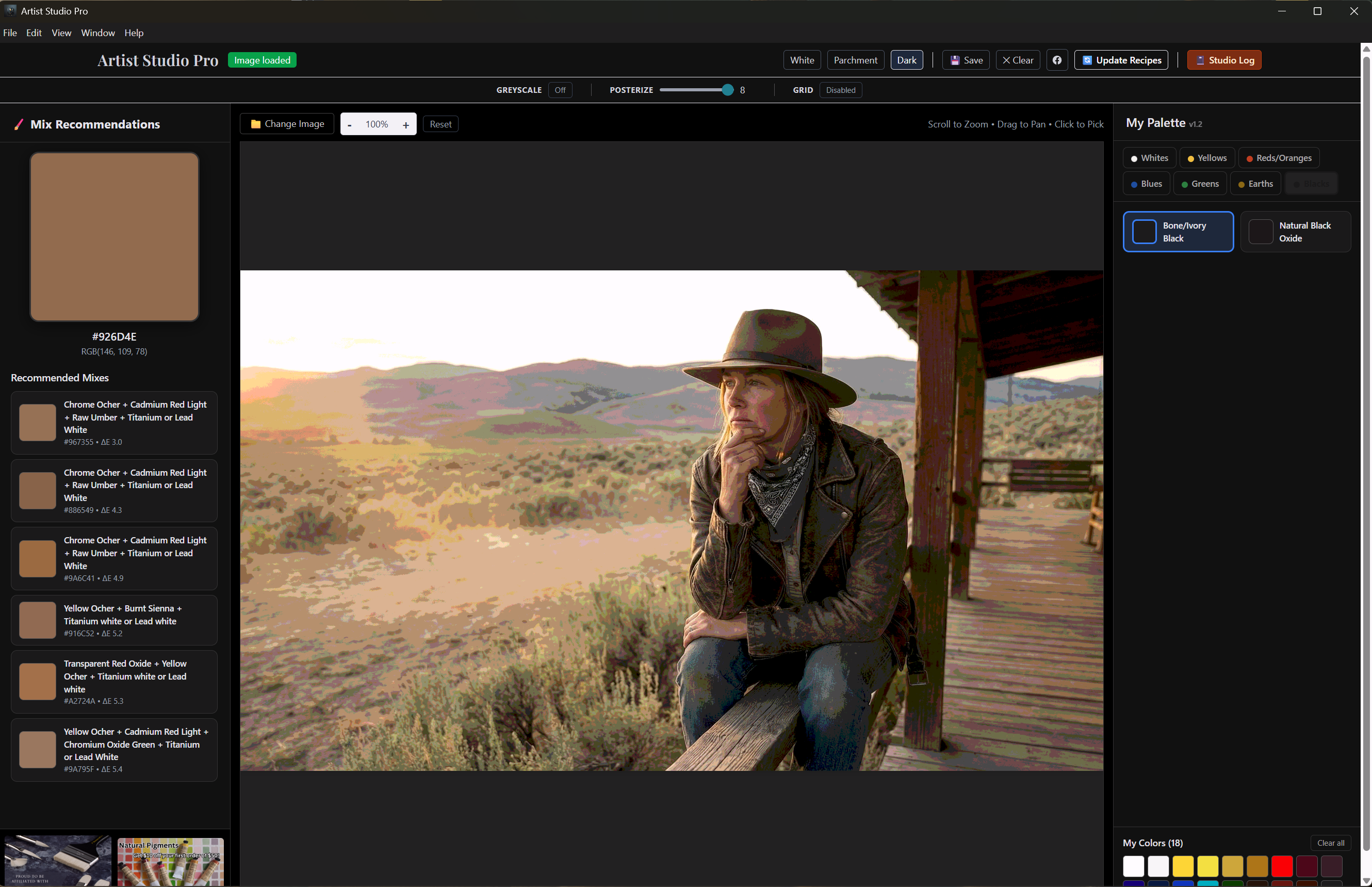
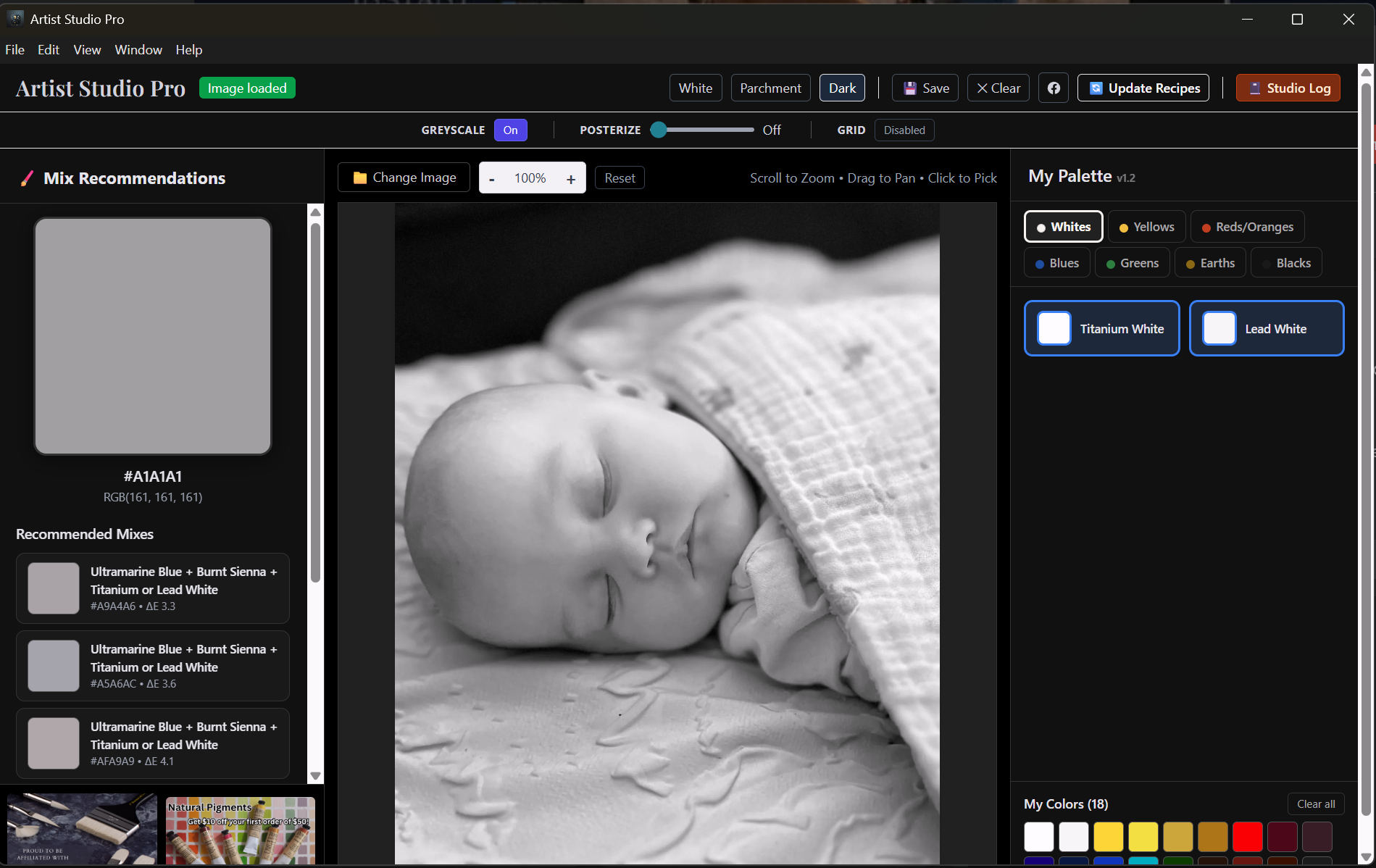
Reduce your reference to simplified value groups, or switch to greyscale mode to study tonal values. Click on the greyscale image to get grey mix recipes using your own palette.

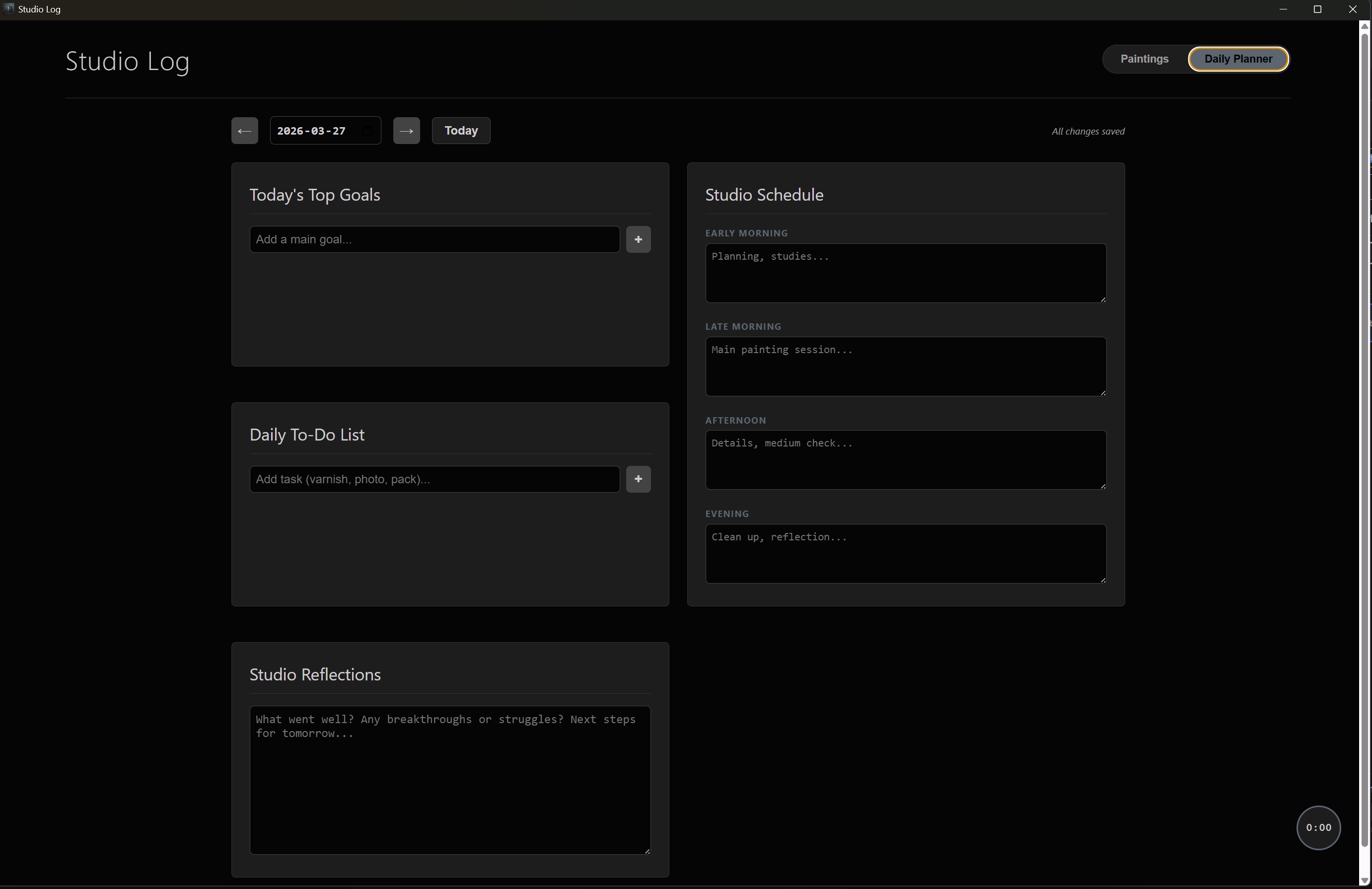
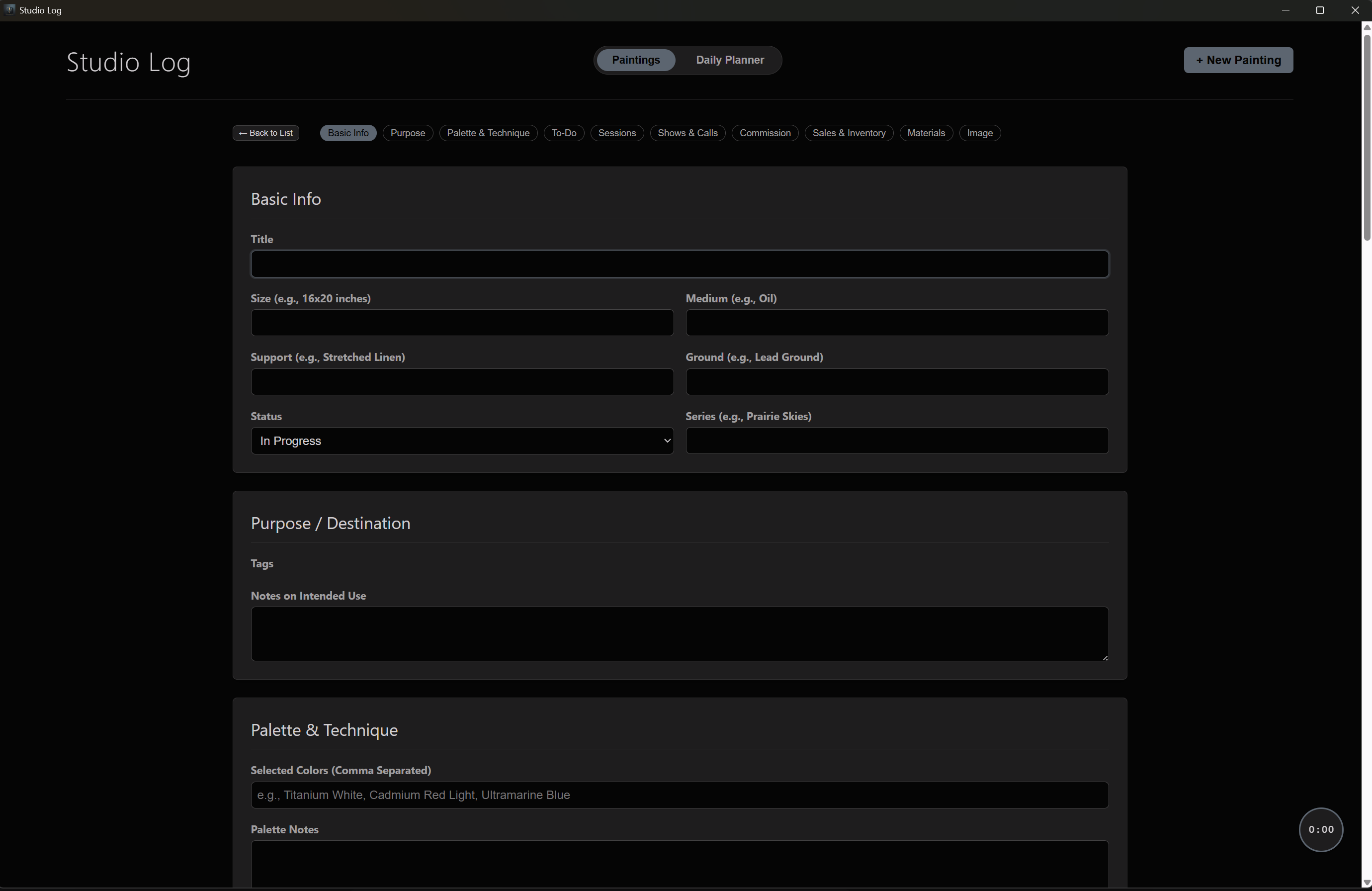
📒 Studio Log & Timer

Track every painting with a built-in journal, daily planner, session timer, materials log, and cost tracker.

💻 Browser-Based

No download, no installation. Open your browser and start working. Your images stay on your device — nothing is uploaded.

🔒 Private & Secure

All image processing happens on your device. Your reference photos and studio data are never sent to any server.

Tools that make painting easier

Artist Studio Pro grid overlay tool showing a proportional drawing grid over a reference image
Grid Overlay — transfer your drawing with accuracy
Artist Studio Pro posterize tool showing a greyscale value study of a portrait
Posterize (Greyscale) — see the value structure
Artist Studio Pro posterize tool showing simplified color groups of a portrait reference
Posterize (Color) — simplify your reference into paintable color groups
Artist Studio Pro greyscale mode showing grey mix recommendations for a baby portrait
Greyscale Mixes — click on a greyscale image and get grey value mix recipes
Artist Studio Pro Studio Log daily planner with goals, schedule, to-do list, and reflections
Studio Log — Daily Planner to organise your painting sessions
Artist Studio Pro Studio Log painting tracker with fields for title, size, medium, palette, and more
Studio Log — Painting Tracker to document every work in progress

Built for Oil Painters

If you paint with oil and you've ever struggled to match a color from a photo, this program is for you. Whether you're a beginner trying to figure out which tubes to squeeze out, or an experienced painter who wants a faster starting point, Artist Studio Pro gives you practical, real-pigment recipes instead of unrealistic digital color suggestions.

It works the way painters actually think: start with a reference, pick a color, find out what to mix.

Every recipe was hand-mixed and measured with real oil paint, not generated by software.

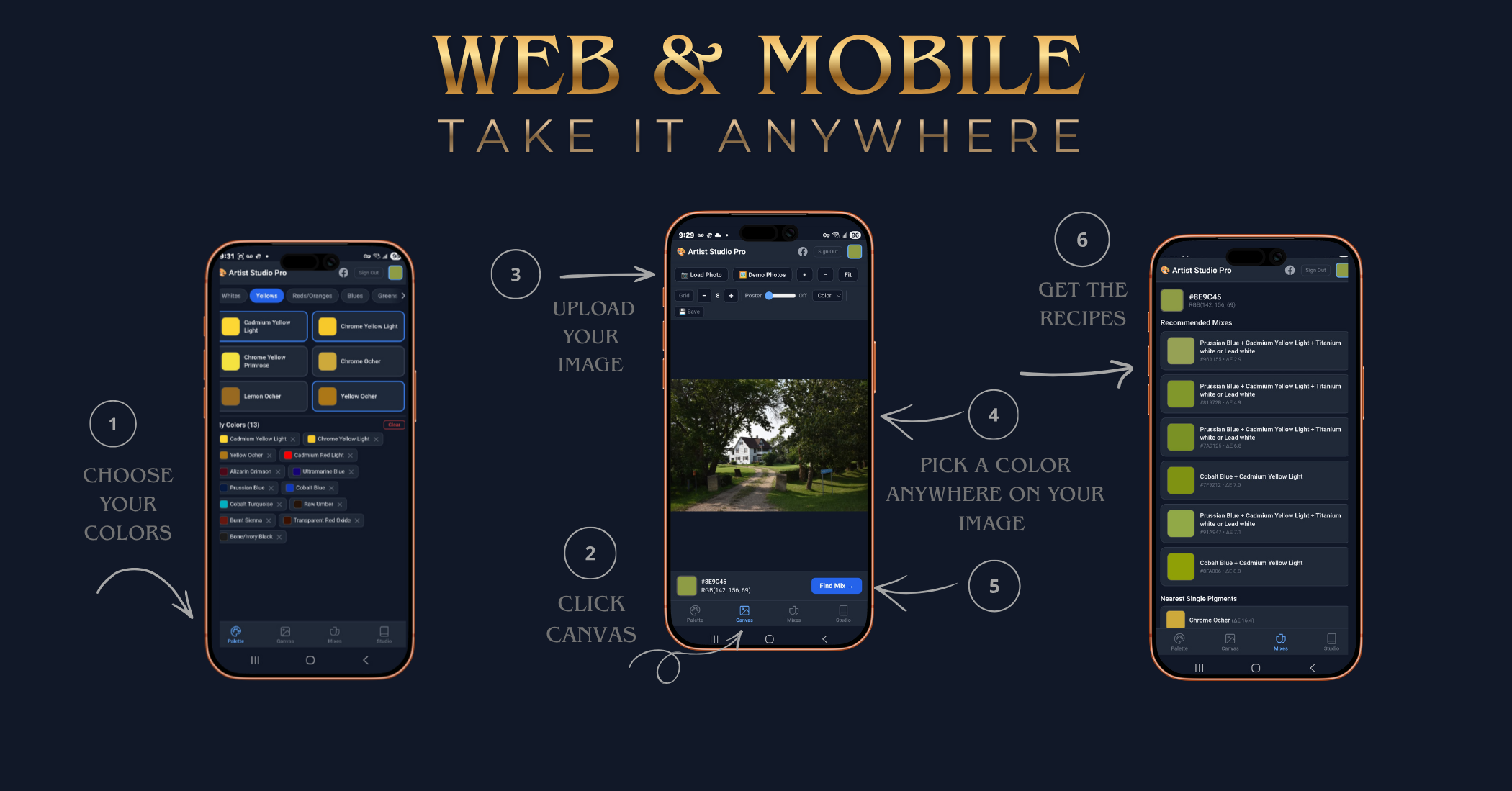
Three steps. Real recipes.

1

Upload your reference

Open any photo — a still life setup, a landscape, a portrait. Drag it in or use the file picker.

2

Click a color

Click anywhere on the image to select the color you want to match on your palette.

3

Get your recipe

It shows up to six hand-mixed oil paint recipes using the pigments you selected in My Palette.

Artist Studio Pro color recipe results showing pigment mix suggestions

Built from real paint mixing, not guesswork

1,700+ Recipes Every one hand-mixed with real oil paint
100% Private Your images never leave your device
No Subscription Windows desktop app runs offline

Artist Studio Pro is a browser-based oil painting color-matching program created by a painter, for painters. Every recipe was physically mixed and measured, not generated by an algorithm. The Windows desktop app is available now and runs offline. The iMac version will be available soon.

Common questions

  1. Is Artist Studio Pro a subscription or a one-time payment?
    One-time payment of $48 USD. No subscription, no recurring charges.
  2. Does it work in a browser?
    Yes. It runs in your web browser on any device: desktop, laptop, tablet, or phone. No download or installation required.
  3. Does it work on iPhone and Android?
    Yes. A dedicated mobile app is included with your purchase for both iPhone and Android, in addition to the browser-based web app.
  4. Who is it for?
    Traditional oil painters, from beginners to experienced artists, who want practical help matching colors from reference photos using real paint recipes.
  5. Do I need to install anything?
    No. The web app runs directly in your browser. The mobile apps for iPhone and Android can be installed from your app store, but the browser version works without any installation.
  6. Can I use the paint colors I already own?
    Yes. The My Palette feature lets you select the pigments you actually have, and it only shows recipes you can mix with those colors.
  7. Is there a free demo?
    Yes. You can try the color matcher free for 3 days on the website with no sign-up required.
  8. Where do I get help?
    There is a full User Guide, a built-in assistant called Sienna inside the program, and you can email Naomi at naomigrindlay@gmail.com for support.

Stop guessing. Start mixing with confidence.

1,700+ hand-mixed oil paint recipes. Click any color, get the formula. Pay once. Yours forever.

$48 USD · one-time payment

🐎 10% of every sale is donated to the Salt River Wild Horse Management Group.